

Have you ever wanted to toggle your line numbers with a single keystroke, or hide the Activity Bar to reclaim screen real estate?
Visual Studio Code offers an incredible depth of customization, but not every setting has a dedicated "toggle" command. Some features are essential in one moment but become distracting clutter the next. My journey with this started when I wanted to use relative line numbers. I quickly realized there wasn't a native way to dynamically switch between relative and absolute numbers, or hide them on a whim.
Fortunately, there is a solution. The Settings Cycler extension allows you to define a list of values for any setting and "cycle" through them using a custom keybinding:
How it works:
Install the extension.
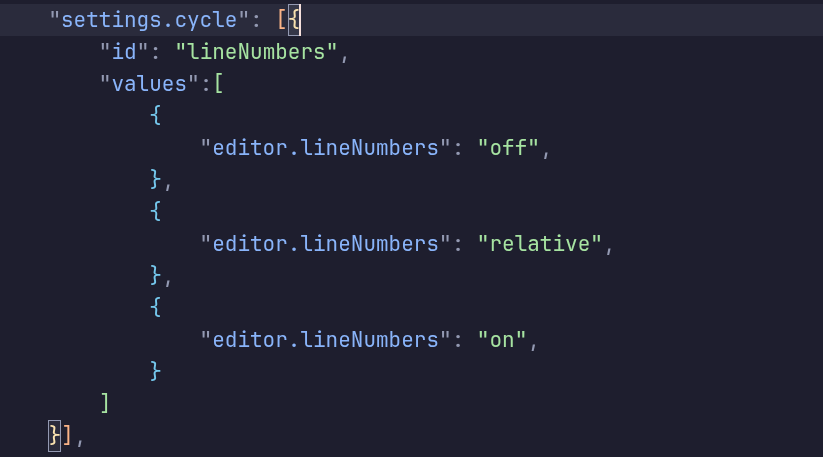
Define your “cycling” options in your settings.json file under “settings.cycle".
Open Keyboard Shortcuts and assign a key combo to your new command (e.g., settings.cycle.lineNumbers
Caps Lock + L).
May the Force be with you.
—Petr